Early digital · everyday snapshots
Free 2000s Camera Filter for Photos
Find a compact-camera mood for a photo you already have: soft everyday color, punchy flash-inspired contrast or a cooler nighttime look.
On your device. Just for you.
Checking account for saved looks…
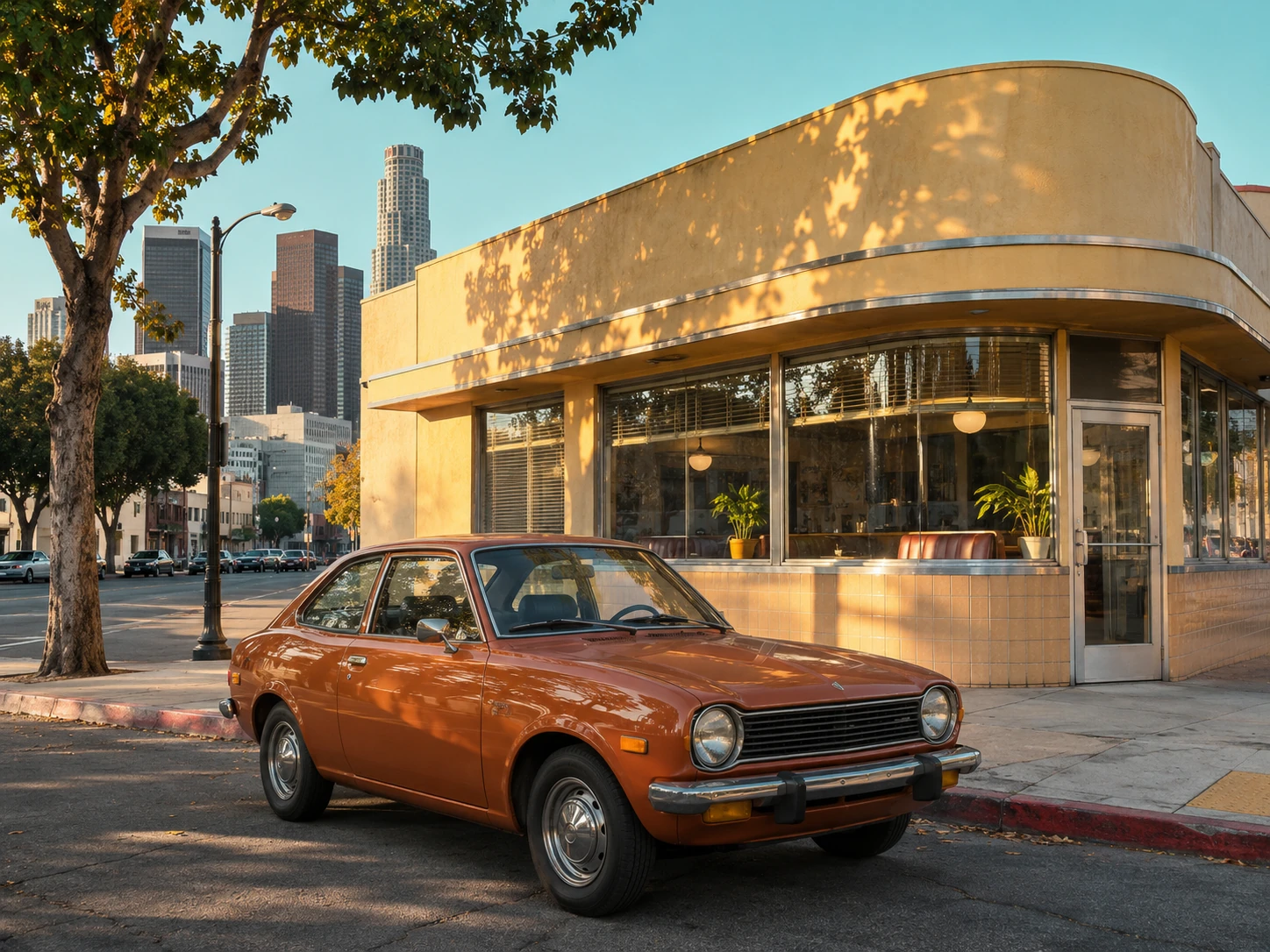
The three inspiration thumbnails above are generated photos, processed with our real filters. Licensed real-photo comparisons are linked below. Try your own photo to judge the result.
One source · real rendered results
See 2000s Camera on three real photos
Compare the same full frame before and after. Each download is a real output from our local Canvas 2D / CPU photo engine, using Pocket 2005 at 80% intensity and 21% grain. These are creative effects, not calibrated camera or film-stock reproductions.
Rendered and reviewed by RetroFilters · · All examples have a 960px long edge, without cropping or upscaling. Your own exports are free up to 1280px, within the input size. Download settings, dimensions and file hashes.
Portrait · Window-light portrait
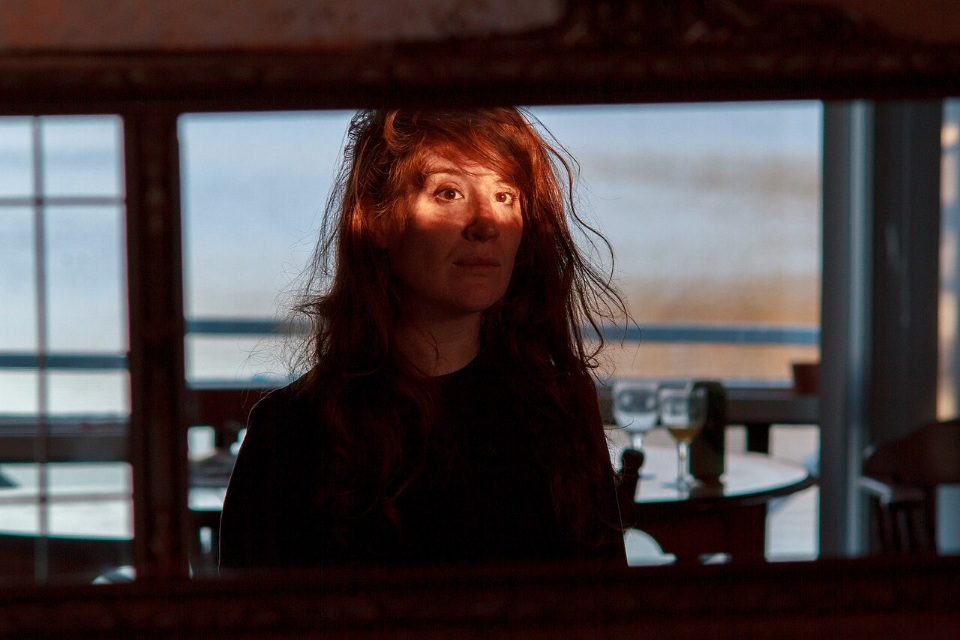
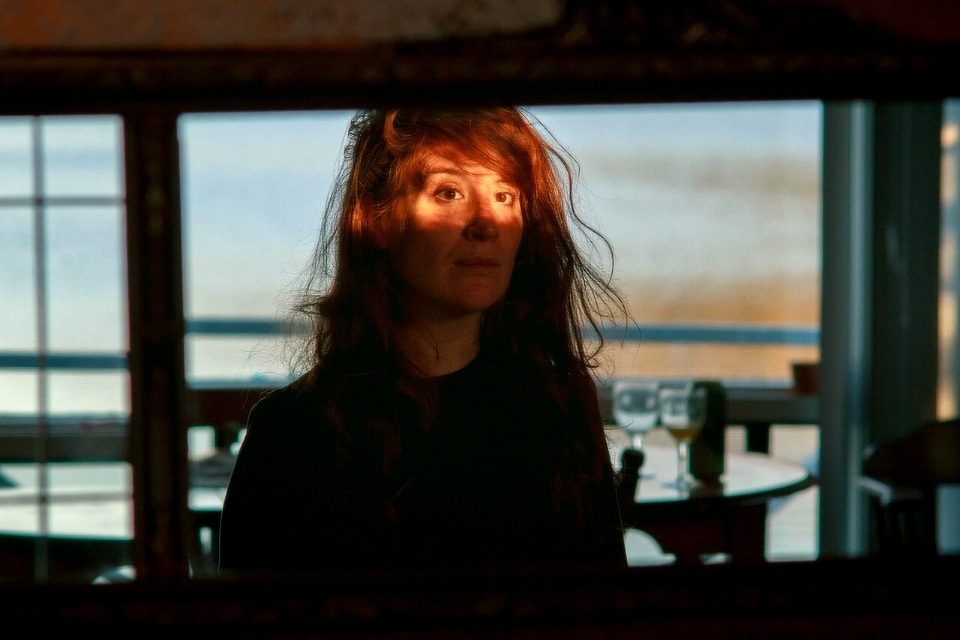
Pocket 2005 softens fine detail and changes the balance of warm and cool tones. Compare skin against the original.
Portrait 2024 · Photo by Louis Rivest-Henault / MarieClaudeGendron2 · CC0 1.0. Resized and filtered by RetroFilters; no endorsement.

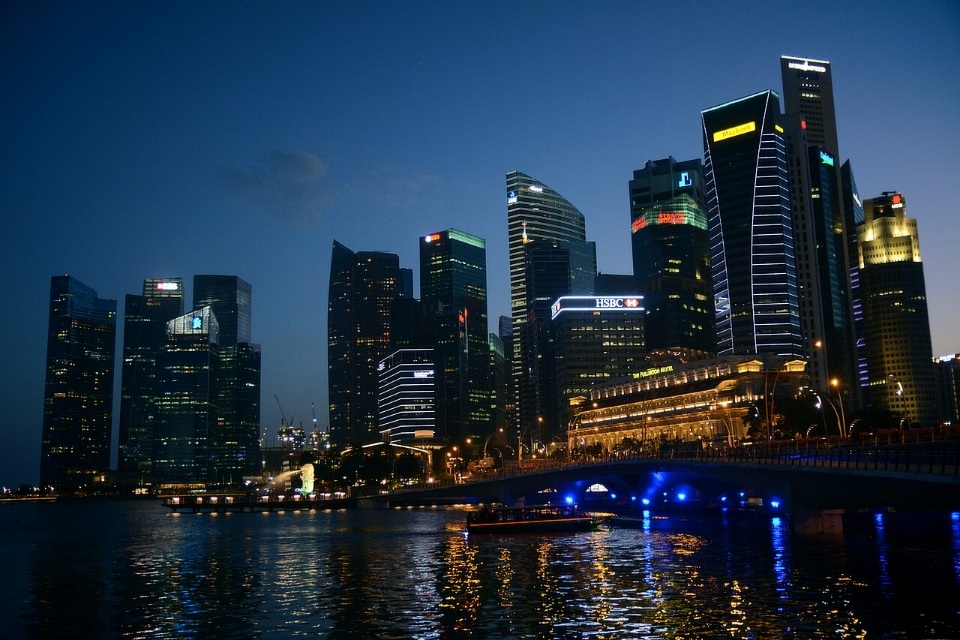
Night · Singapore after dark
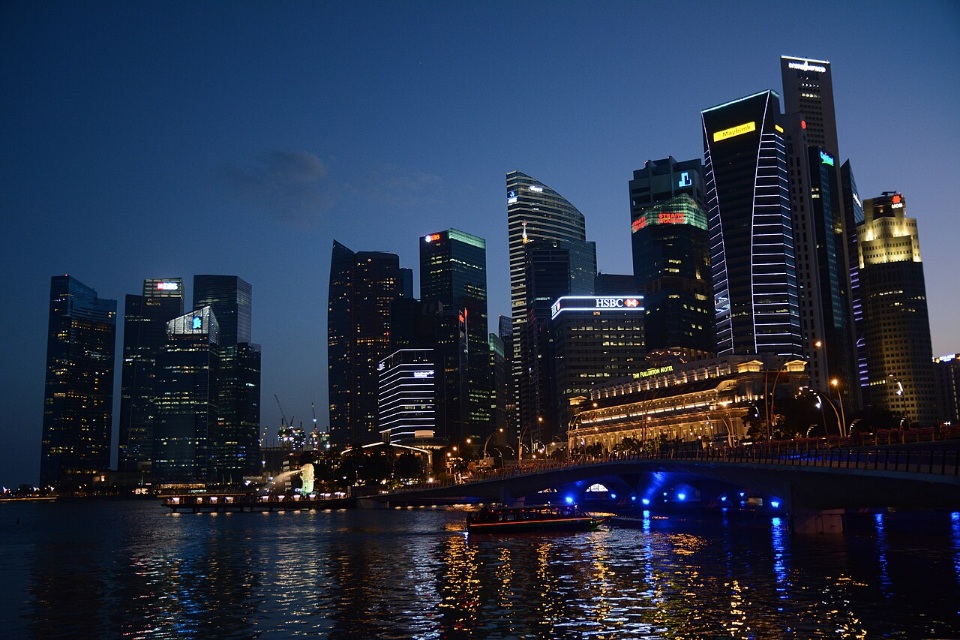
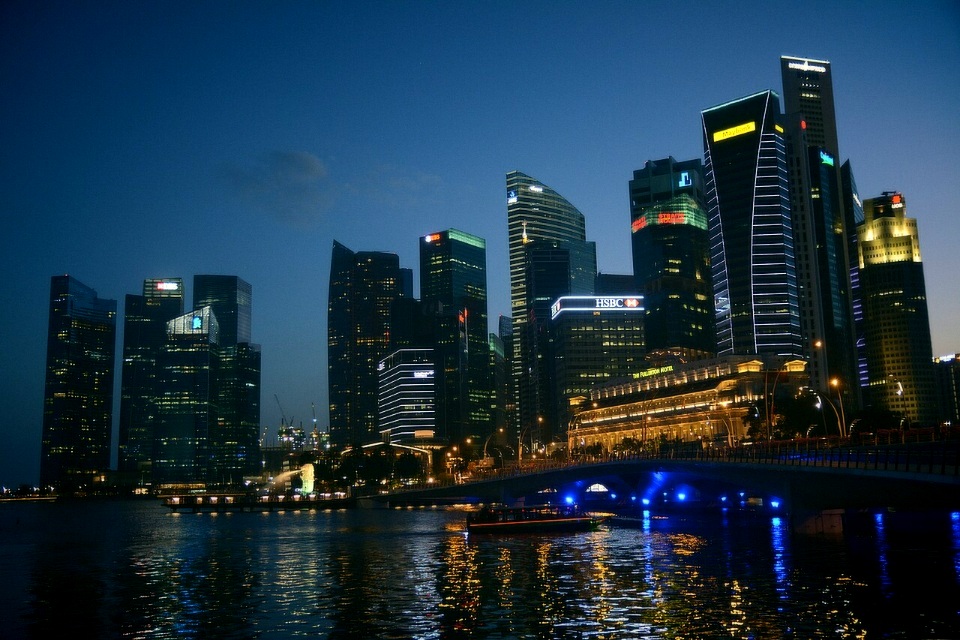
Softening reduces the crispness of light edges; this is a style choice, not low-light recovery.
Central Business District, Singapore, at night - 20150208 · Photo by C1815 · CC0 1.0. Resized and filtered by RetroFilters; no endorsement.

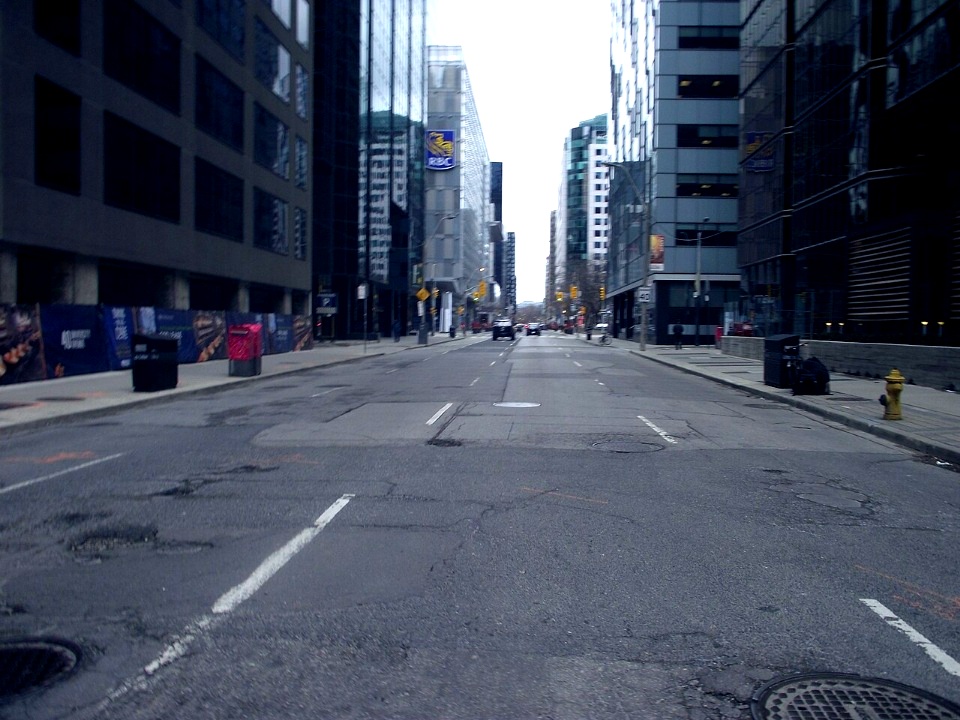
Street · Downtown Toronto
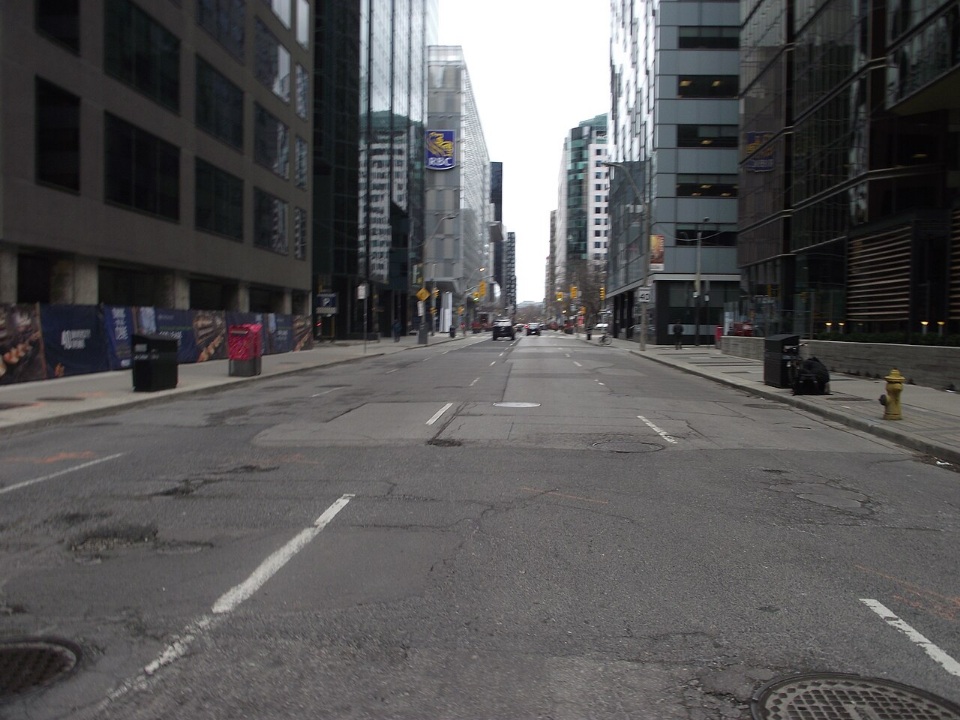
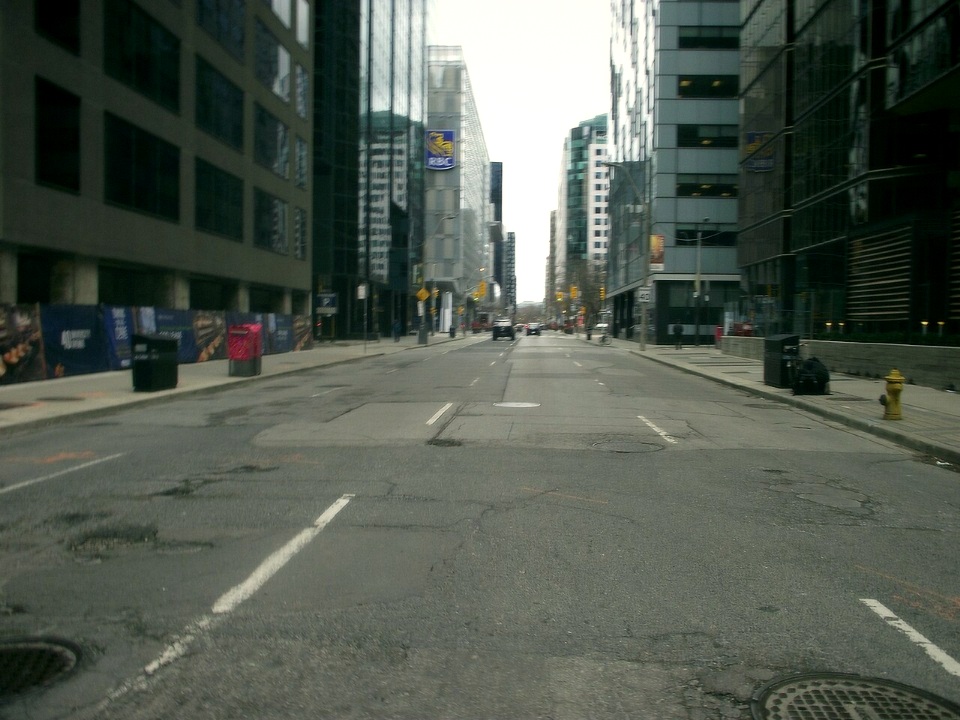
Everyday compact-camera softness differs from the cooler, more stylized Y2K treatment below.
Street in downtown Toronto · Photo by Jason Zhang (Hiàn) · CC0 1.0. Resized and filtered by RetroFilters; no endorsement.

When the effect is too strong: a failure and a quieter alternative
Maximum grain adds busy texture to already dark areas. Lower grain first; a brighter preset cannot reconstruct detail missing from the source.
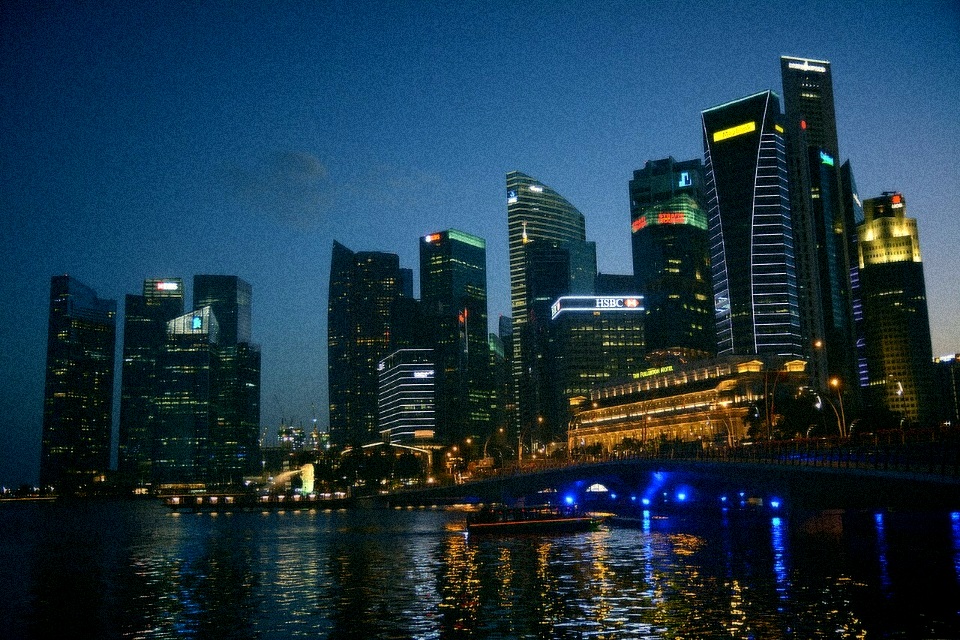
No setting recovers details missing from the original. This is a deliberately excessive treatment, not a failed download. Troubleshoot dark photos and color casts.
2000s or Y2K? Compare both on the same street photo
Pocket 2005 uses softer detail and a warmer snapshot treatment. Y2K Digital pushes cool cyan color. Both results below start from the exact same source, at 80% intensity with their preset’s default grain.
Choose a starting preset for your own photo
| Preset | What changes | Starting grain | Try it |
|---|---|---|---|
| Pocket 2005 | Mint shadows, buttery highlights, and slightly soft focus. | 21% | Open Pocket 2005 |
| CCD Flash | Cool shadows, warm flash, and punchy digital color. | 12% | Open CCD Flash |
| Direct Flash | A crisp center-weighted flash with dark, cool corners. | 13% | Open Direct Flash |
| Night CCD | Dark blue edges, bright point lights, and coarse shadow noise. | 48% | Open Night CCD |
| Sunny Digicam | Bright summer whites, vivid reds, and warm daylight. | 10% | Open Sunny Digicam |
| First Phone | Lifted exposure, green-gray shadows, and softened detail. | 19% | Open First Phone |
The effect, explained
What changes in your photo?
What is a 2000s camera look?
Early digital snapshots did not all look alike. Lighting, automatic white balance, sensor size, lens quality, camera processing and the way a file was shared all affected the result. What people now call a digicam look often combines bright direct light, compact-camera color, modest fine detail and a casual composition. Here you can explore original interpretations of those cues without buying an old camera or changing the contents of your photograph.
Choose a compact-camera starting point
Pocket 2005 is the default, with gentle softness and a warm-and-cool color balance. CCD Flash pushes contrast and digital color. Direct Flash emphasizes the center of the frame; Night CCD favors dark blue edges and a rougher low-light mood. Sunny Digicam is a brighter daytime option, while First Phone offers a simpler, softened digital treatment. These names describe the appearance of our presets. They are not measurements of named camera models or a physical simulation of a CCD sensor.
Flash and low-light limits
A filter can brighten tones and darken corners, but it cannot move a real light source, cast an accurate new shadow or restore a face clipped to pure white. A lightly exposed snapshot usually gives you more room to work than an image with missing highlight detail. In dark photos, added noise may make texture more visible while making the subject less clear. Check skin, bright windows and deep shadows with the original comparison before exporting.
2000s snapshots or Y2K styling?
Use this page when you want a familiar everyday-camera mood. Choose Y2K when you want a more deliberate visual treatment, such as cool cyan color or visibly blocky digital detail. The categories overlap because an era is not a single preset. Compare them on your own photo and choose by the result rather than by a camera label. No date stamp or fictional camera metadata is added by this editor.
From photo to file
How to use the 2000s Camera effect
Open your photo
Choose a JPEG, PNG or WebP from your device, or try a generated sample. Editing happens in your browser; no account is needed for a free export.
Choose, tune, compare
Start with the selected preset. Adjust strength and grain, then use the comparison control to check the same photo before and after.
Make your image file
Choose JPEG or PNG and export up to a 1280px long edge without enlarging the input. Your browser handles the download; generating a file does not confirm that it was saved to your photo library.
Useful details
Questions about 2000s Camera
Is a digicam filter the same as a CCD filter?
The terms often overlap in everyday use. A CCD is a sensor technology; a digicam is a digital camera. Our presets suggest early-digital color and texture rather than reproducing the physics of a sensor.
Does the effect add real flash lighting?
No. Brightening, contrast and corner shading can suggest flash, but they do not recreate the lighting, depth or shadows of a flash used at capture.
Can I add a date stamp?
Date stamps are not available in this version. Your photo is not given a fictional capture date or camera model.
Can I open an iPhone HEIC photo?
JPEG, PNG and WebP are the supported input formats. If your file is HEIC, export a JPEG from your photo app first. HEIC decoding is not promised here.
Keep exploring
Another direction for your photo
Free exports are available now. Paid high-resolution exports, batch processing and LUT packs are not available to purchase.