Faded prints · soft color
Free Vintage Photo Filter
Choose the feeling of a faded print, a pastel photograph or a warm sepia album. Vintage does not have to mean the same yellow tint on every photo.
On your device. Just for you.
Checking account for saved looks…
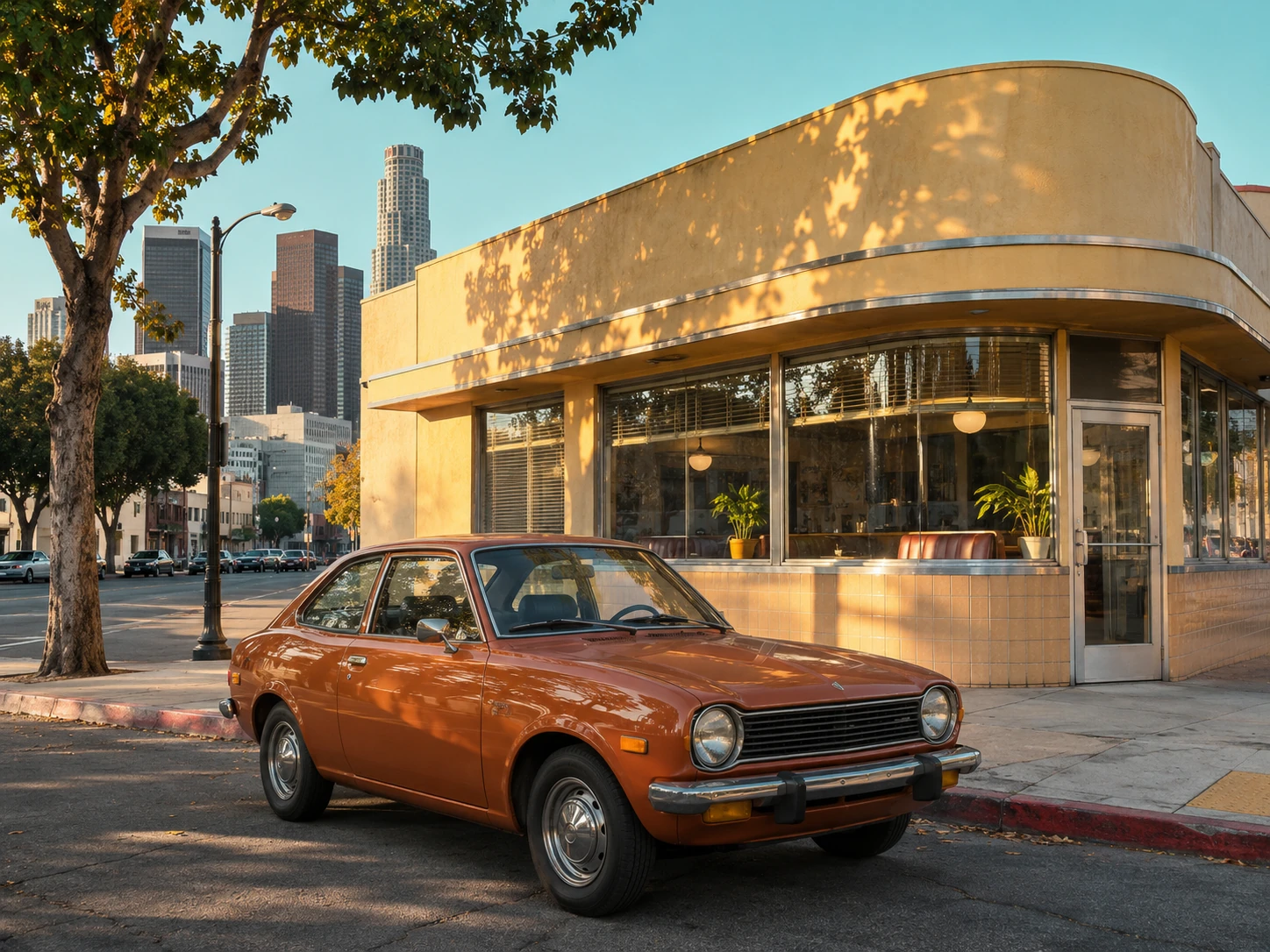
The three inspiration thumbnails above are generated photos, processed with our real filters. Licensed real-photo comparisons are linked below. Try your own photo to judge the result.
One source · real rendered results
See Vintage on three real photos
Compare the same full frame before and after. Each download is a real output from our local Canvas 2D / CPU photo engine, using Faded Vintage at 80% intensity and 32% grain. These are creative effects, not calibrated camera or film-stock reproductions.
Rendered and reviewed by RetroFilters · · All examples have a 960px long edge, without cropping or upscaling. Your own exports are free up to 1280px, within the input size. Download settings, dimensions and file hashes.
Portrait · Window-light portrait
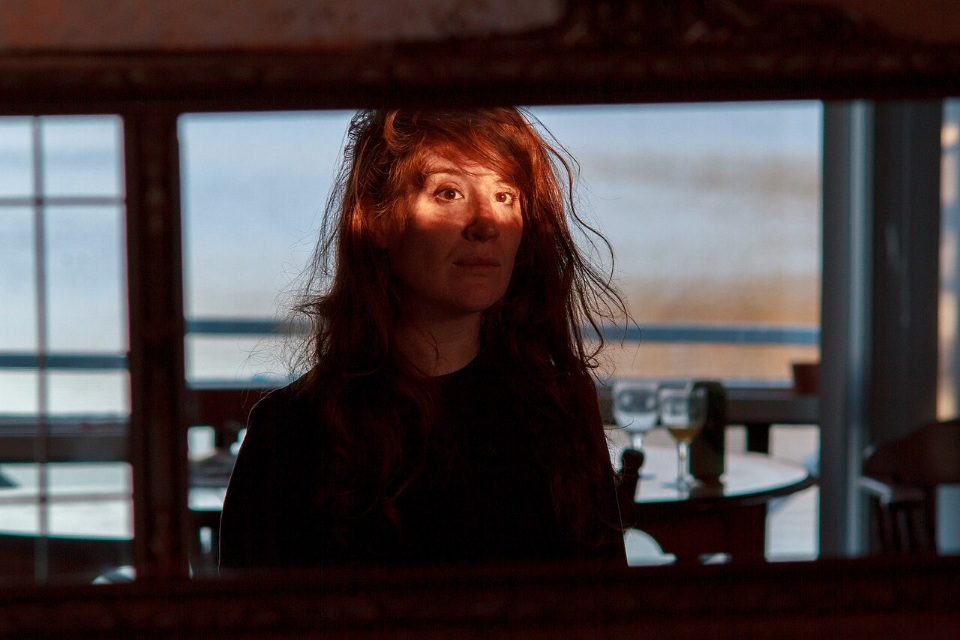
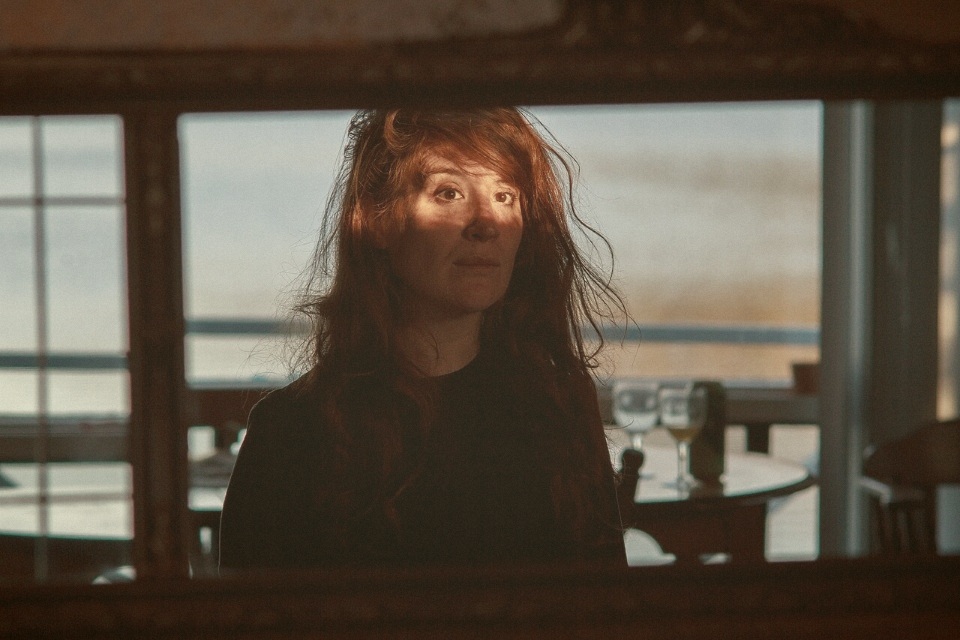
Check light, texture and fine detail against the original before choosing the intensity for your own photo.
Portrait 2024 · Photo by Louis Rivest-Henault / MarieClaudeGendron2 · CC0 1.0. Resized and filtered by RetroFilters; no endorsement.

Night · Singapore after dark
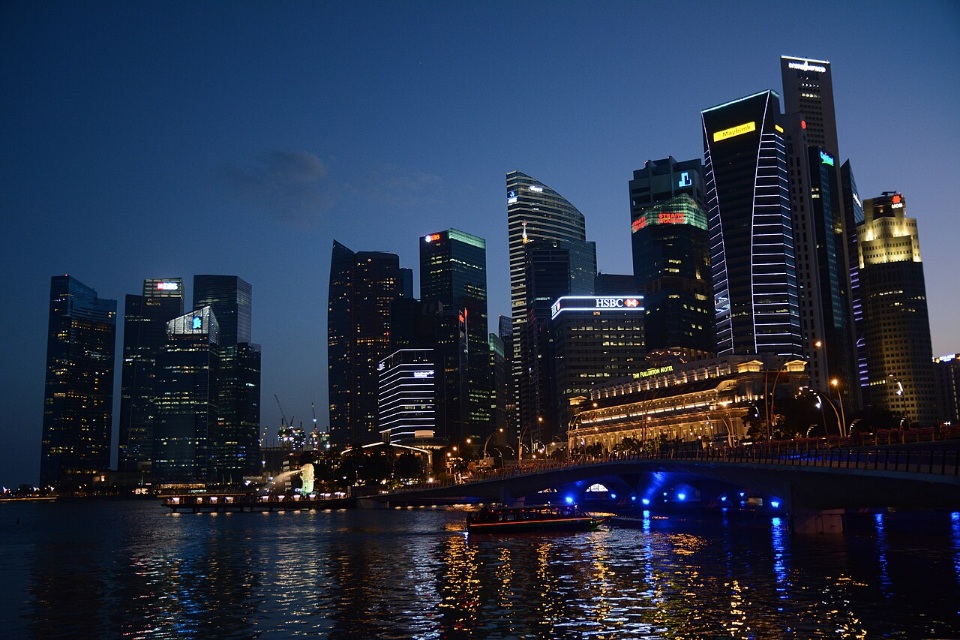
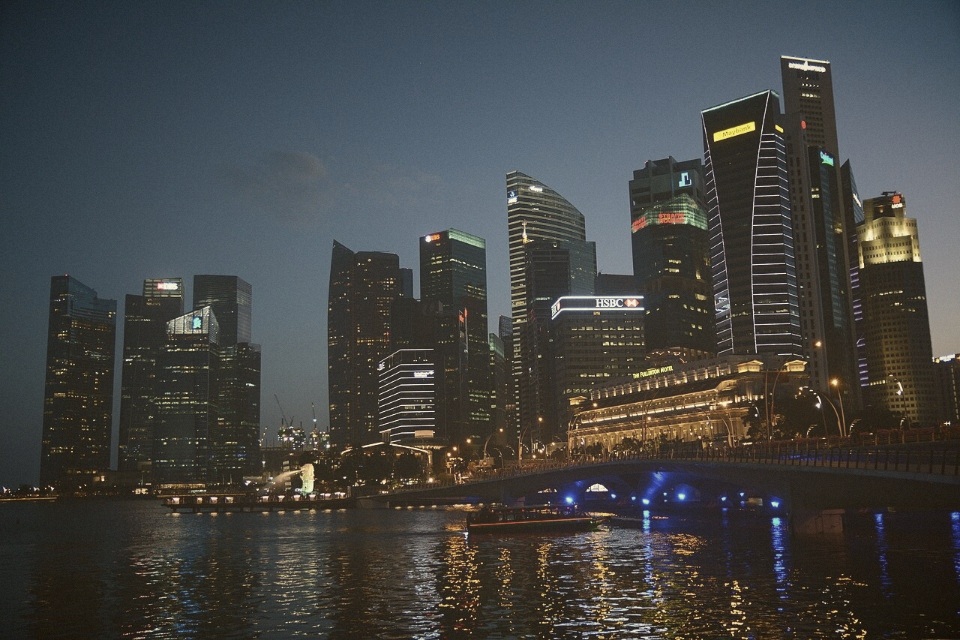
Check light, texture and fine detail against the original before choosing the intensity for your own photo.
Central Business District, Singapore, at night - 20150208 · Photo by C1815 · CC0 1.0. Resized and filtered by RetroFilters; no endorsement.

Street · Downtown Toronto
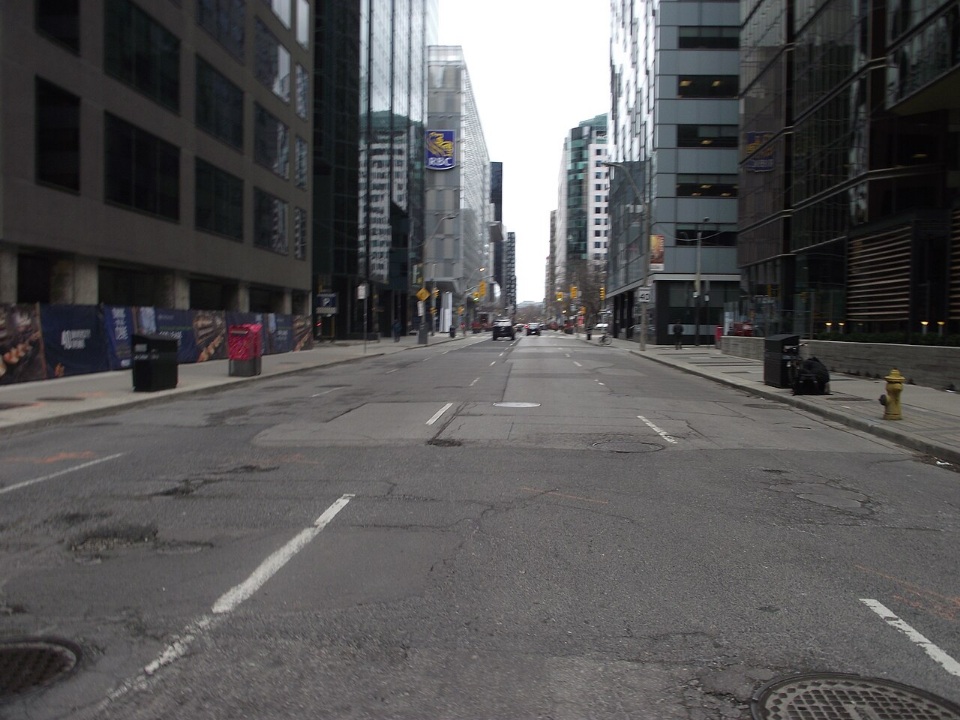
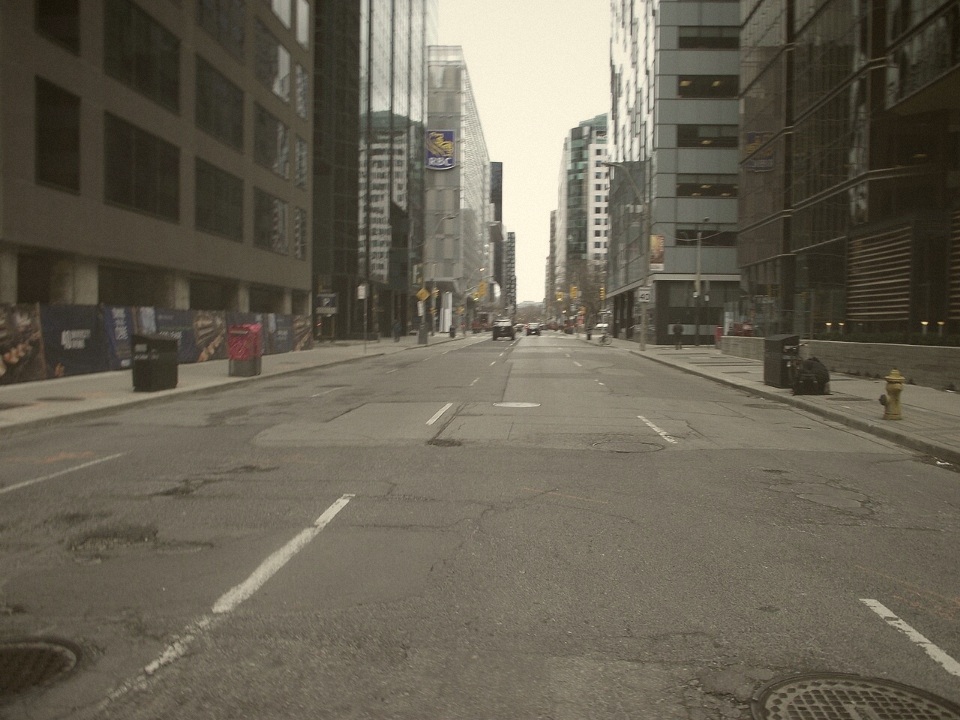
Check light, texture and fine detail against the original before choosing the intensity for your own photo.
Street in downtown Toronto · Photo by Jason Zhang (Hiàn) · CC0 1.0. Resized and filtered by RetroFilters; no endorsement.

Choose a starting preset for your own photo
| Preset | What changes | Starting grain | Try it |
|---|---|---|---|
| Faded Vintage | Washed highlights and soft color from a faded print. | 32% | Open Faded Vintage |
| Pastel Print | Lifted blacks and a peach tint for bright daylight. | 8% | Open Pastel Print |
| Album Sepia | Tobacco-brown tones and a trace of paper grain. | 42% | Open Album Sepia |
| Washed Paper | Flat, bright paper tones with faint dust and holds in the shadows. | 18% | Open Washed Paper |
| Instant Cream | Creamy whites with a soft wash of olive and coral. | 25% | Open Instant Cream |
| Instant Lilac | Lavender shadows and cool glossy print highlights. | 21% | Open Instant Lilac |
The effect, explained
What changes in your photo?
Choose an old-print direction
A vintage photo effect is often about the appearance of a print rather than the camera that captured it. Reduced contrast, pale highlights, a lifted black point or a subtle color cast can suggest an image that has been printed and kept. Real photographs age differently depending on materials and storage. These presets are creative interpretations of familiar print cues, not a dating method or an accurate chemical model of paper deterioration.
Fade, sepia and instant-print color
Faded Vintage softens the color and overall contrast. Pastel Print gives a brighter, gentler color direction. Album Sepia replaces the original palette with warm brown tones, while Washed Paper favors flatter, pale tones. Instant Cream and Instant Lilac offer warmer and cooler instant-print-inspired color balances. Try the alternatives on the same photo: sepia can simplify a scene with competing colors, while a lighter fade can leave more of the original palette visible.
Preserve useful separation
Raising dark tones can make a photo feel softer, but it can also make a dark subject disappear into its background. Flattening highlights may help the mood without bringing back detail from a blown-out sky. Use lower strength when faces lose depth or clothing and background begin to merge. The original comparison gives you a reference for the details that a pleasant-looking thumbnail can hide.
A print effect is not photo restoration
This page adds an aesthetic to an existing image. It does not repair a torn print, remove scratches from a scan or recover detail removed by heavy sharpening. It also does not identify the decade or materials of an old photograph. For a warmer snapshot with more grain, try Disposable Camera. For a broader film-like color change, try Film. Keep the vintage treatment subtle when the photograph already has a strong cast or visible surface damage.
From photo to file
How to use the Vintage effect
Open your photo
Choose a JPEG, PNG or WebP from your device, or try a generated sample. Editing happens in your browser; no account is needed for a free export.
Choose, tune, compare
Start with the selected preset. Adjust strength and grain, then use the comparison control to check the same photo before and after.
Make your image file
Choose JPEG or PNG and export up to a 1280px long edge without enlarging the input. Your browser handles the download; generating a file does not confirm that it was saved to your photo library.
Useful details
Questions about Vintage
Does vintage always mean yellow or sepia?
No. Faded contrast, pastel color and cool instant-print tones can all suggest an older print without making the whole image yellow.
How can I preserve skin tones?
Start with a lower strength and compare faces with the original. Choose a different preset when its color cast competes with the lighting already in the photo.
Will these presets add scratches?
The selected vintage presets focus on faded print color and texture. Do not assume a scratch layer is included. Dust & Scratches is a separate effect in the wider preset catalog.
Can this restore an old damaged photograph?
No. These are creative effects, not a restoration service. They cannot recover missing detail or remove physical damage from a scanned print.
Keep exploring
Another direction for your photo
Free exports are available now. Paid high-resolution exports, batch processing and LUT packs are not available to purchase.